At Start Point Academy, children do not learn technology just by listening. They learn by seeing a real problem, breaking it into steps, building a solution, testing it, and improving it with confidence. This Creative Computing Program uses Scratch to guide that journey in a way that is practical, easy to follow, and connected to school, home, and everyday life. The activities below are delivered in English and Swahili and help children grow in logical thinking, problem-solving, creativity, and building real projects that make sense to them.
Picture
Open | Download

đź“… Lesson 01 Orientation

Theme: Welcome students into SPA, introduce sequencing through real-life routines, and guide them into their first Scratch experience.
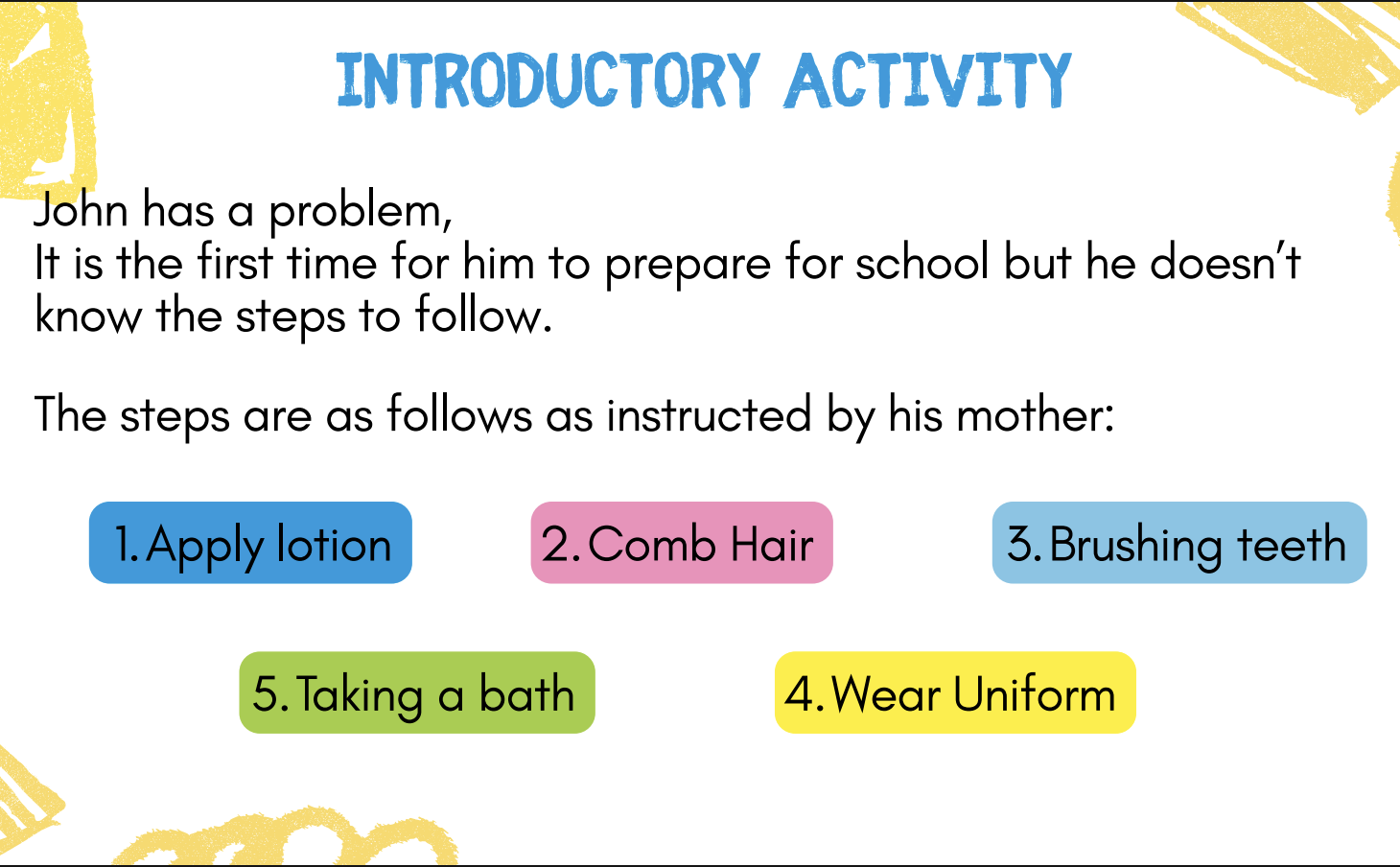
Activity 1.1 — Introductory Activity
Picture
Open | Download
A playful opening activity that helps students feel comfortable, introduces sequencing, and shows that good results require planning and correct order. *(20–30 min)*
Objectives:
  • Help students feel comfortable and engaged at the start of the session.
  • Show that actions become confusing when there is no clear plan.
  • Introduce the idea that computers follow instructions exactly as given.
Key Reflection Prompts:
  • Why did the teacher keep going back and forth?
  • What changed once the idea of planning was introduced?
  • How is this similar to how computers behave?
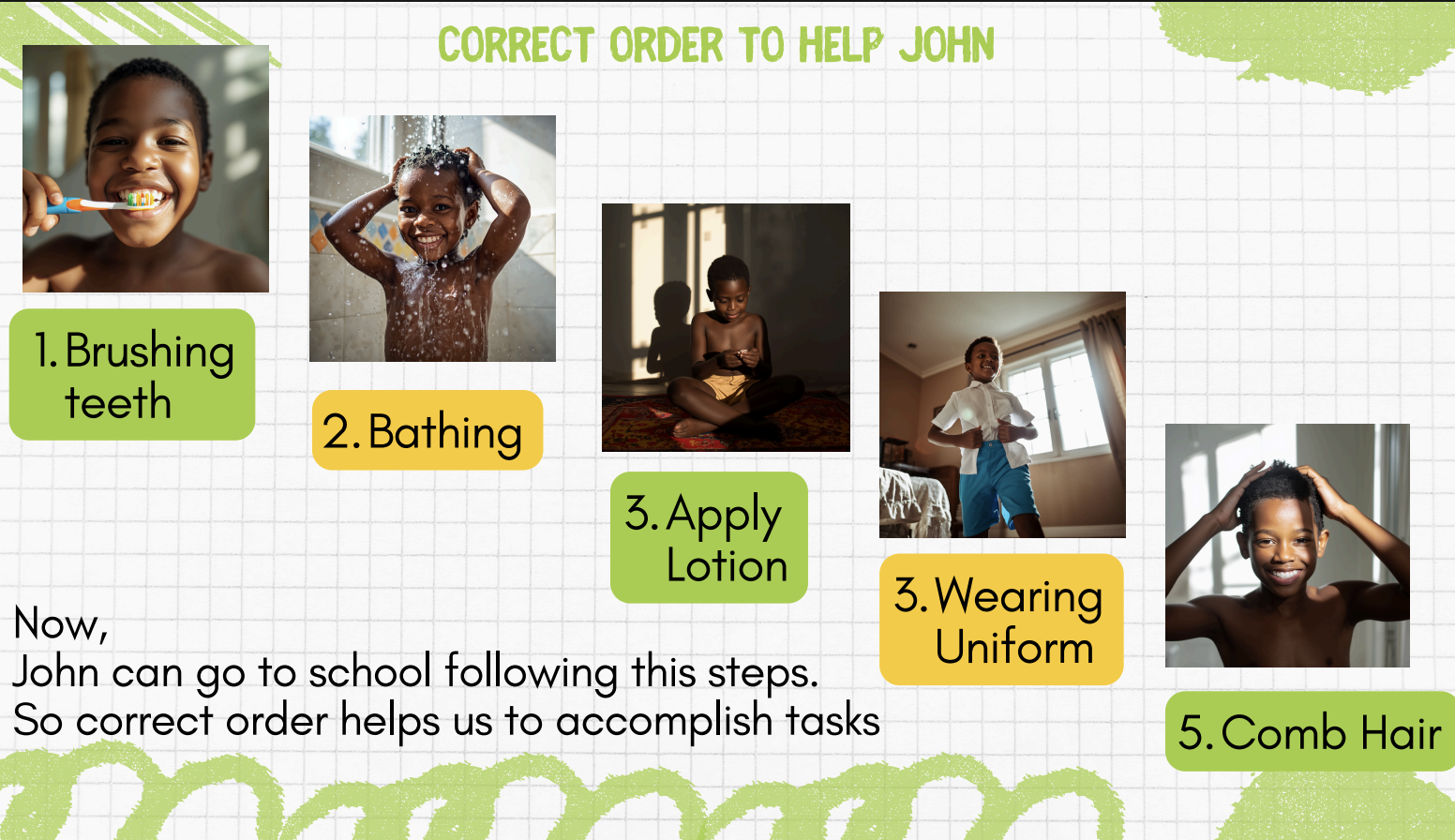
Activity 1.2 — Correct Order to Help John
Picture
Open | Download | scratch.mit.edu
Students help John prepare for school by arranging his morning steps in the correct order, reinforcing that sequence matters in everyday life. *(15–20 min)*
Objectives:
  • Help students identify the correct order of a simple routine.
  • Reinforce that even familiar actions can fail when sequence is wrong.
  • Connect daily-life ordering to algorithmic thinking.
Key Reflection Prompts:
  • Which of John’s steps had to happen first?
  • What would go wrong if two steps were swapped?
  • Why does correct order help us finish tasks?
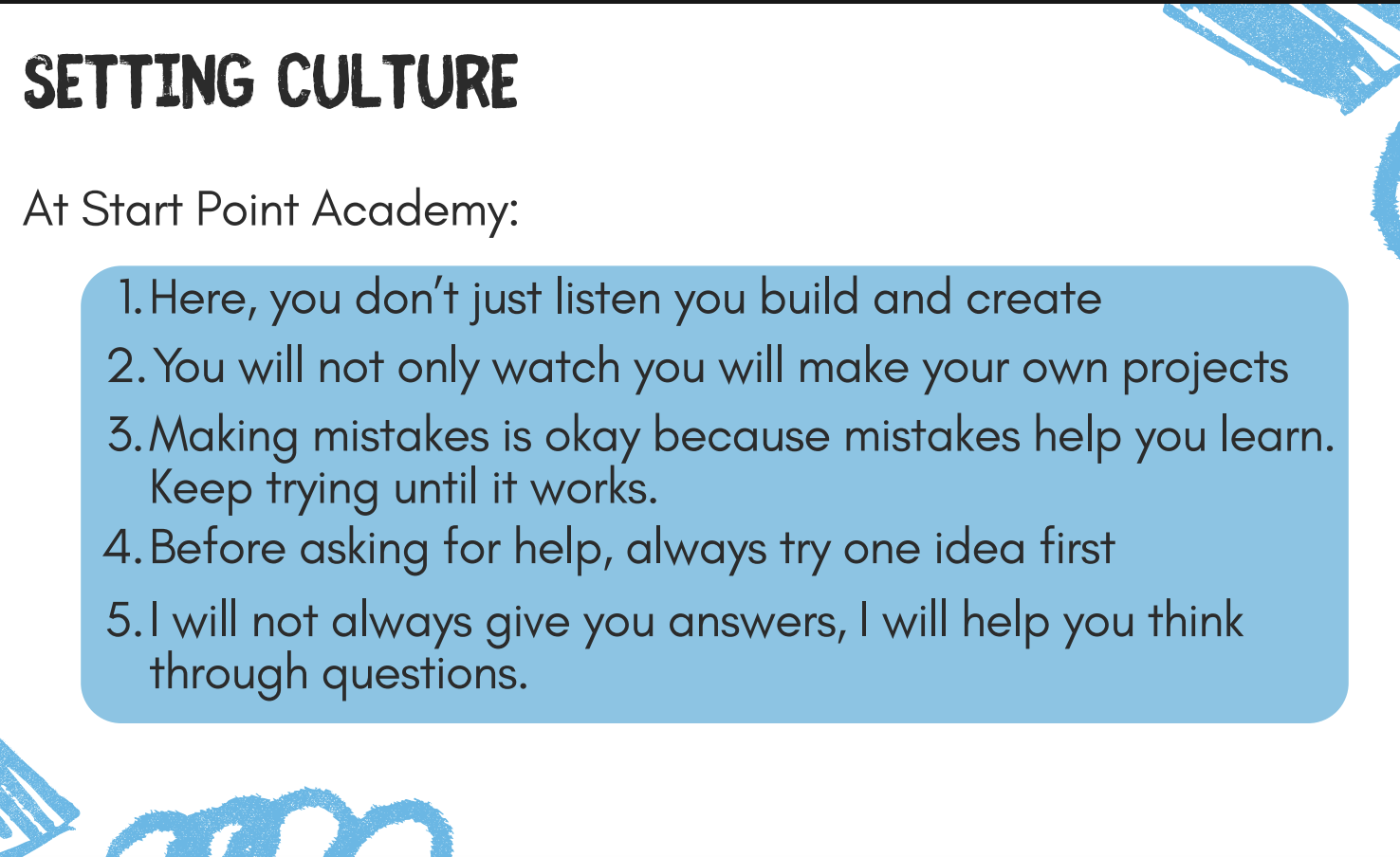
Activity 1.3 — Setting Culture
Picture
Open | Download
This section introduces the SPA learning culture so students understand that they are expected to build, experiment, think, and learn actively. *(10–15 min)*
Objectives:
  • Help students understand the difference between school routines and SPA culture.
  • Encourage a mindset of trying, building, and learning through mistakes.
  • Set expectations for participation, independence, and collaboration.
Key Reflection Prompts:
  • What makes SPA different from ordinary school?
  • Why are mistakes useful when learning to code?
  • What should you try before asking for help?
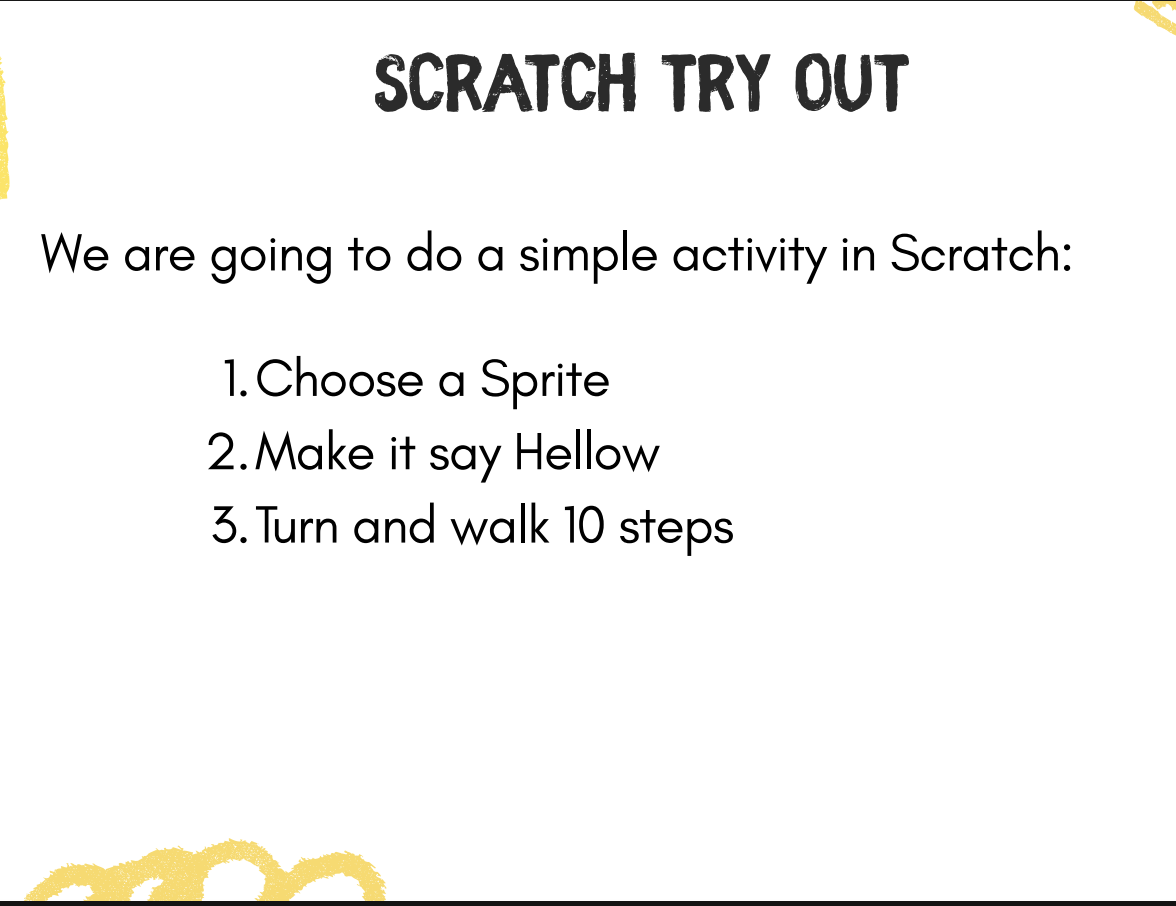
Activity 1.4 — Scratch Tryout
Picture
Open | Download
Students explore a simple Scratch example, then try a few basic actions so they begin interacting with Scratch in a low-pressure way. *(15–20 min)*
Objectives:
  • Build excitement for learning Scratch through a simple example.
  • Help students become familiar with sprites and basic actions.
  • Prepare students for the first guided build.
Key Reflection Prompts:
  • What did your sprite do first?
  • Which action felt easiest to control?
  • What makes Scratch feel fun or interesting so far?
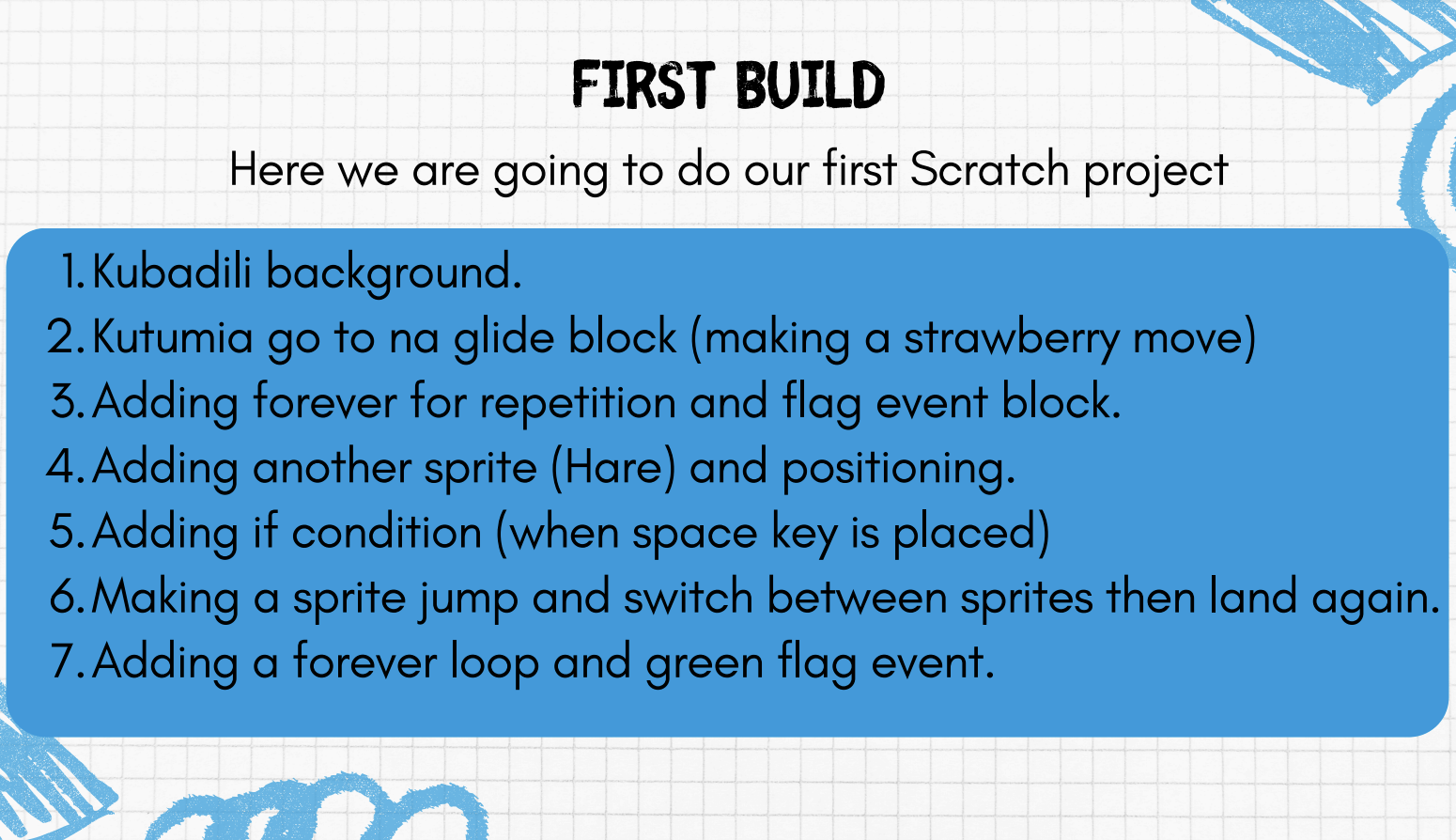
Activity 1.5 — First Build
Picture
Open | Download
Students complete their first guided Scratch build by combining movement, events, conditions, and multiple sprites into a working mini project. *(25–35 min)*
Objectives:
  • Give students a first success in creating a working Scratch program.
  • Introduce backgrounds, motion, events, and conditions in context.
  • Build confidence before students move into later lessons.
  • What would you like to improve next?
Key Reflection Prompts:
  • Which block made the biggest difference in your project?
  • What happened when you tested your build?
  • What would you like to improve next?
Picture
Open | Download | Download Scratch File

Lesson 02 — Sequence & Order

Theme: The order of steps matters. Even correct actions can fail if arranged badly.
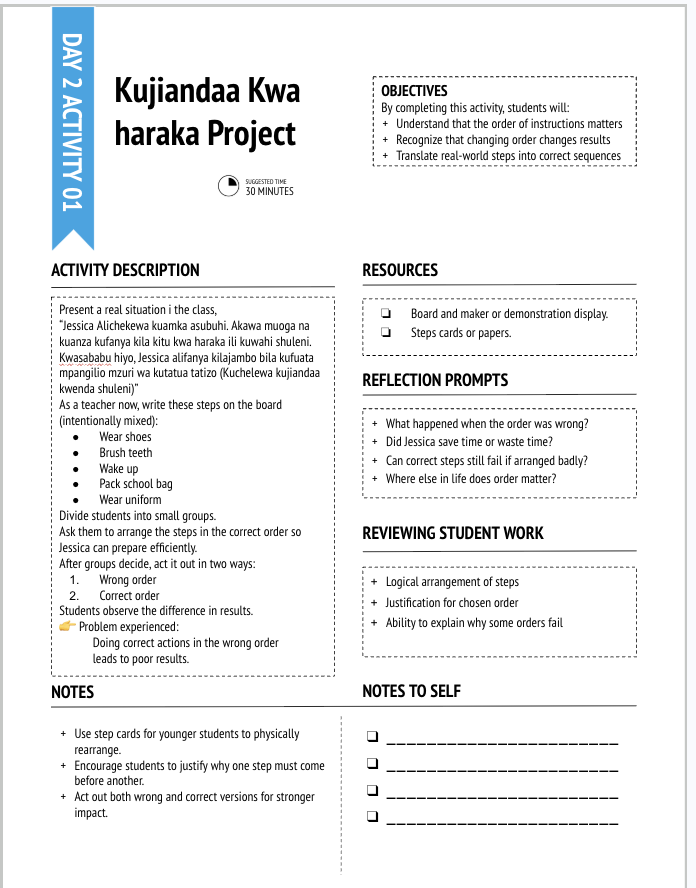
Activity 2.1 — Kujiandaa Kwa haraka Project
Picture
Open | Download
Students analyze Jessica’s rushed morning routine and rearrange scrambled steps into the correct order so she can prepare efficiently. *(30 min)*
Objectives:
  • Understand that correct steps still fail when placed in the wrong order.
  • Practice arranging a real routine into an efficient sequence.
  • Compare wrong-order and correct-order outcomes.
Key Reflection Prompts:
  • What went wrong when Jessica’s actions were out of order?
  • Why must some steps happen before others?
  • Can correct actions still create bad results?
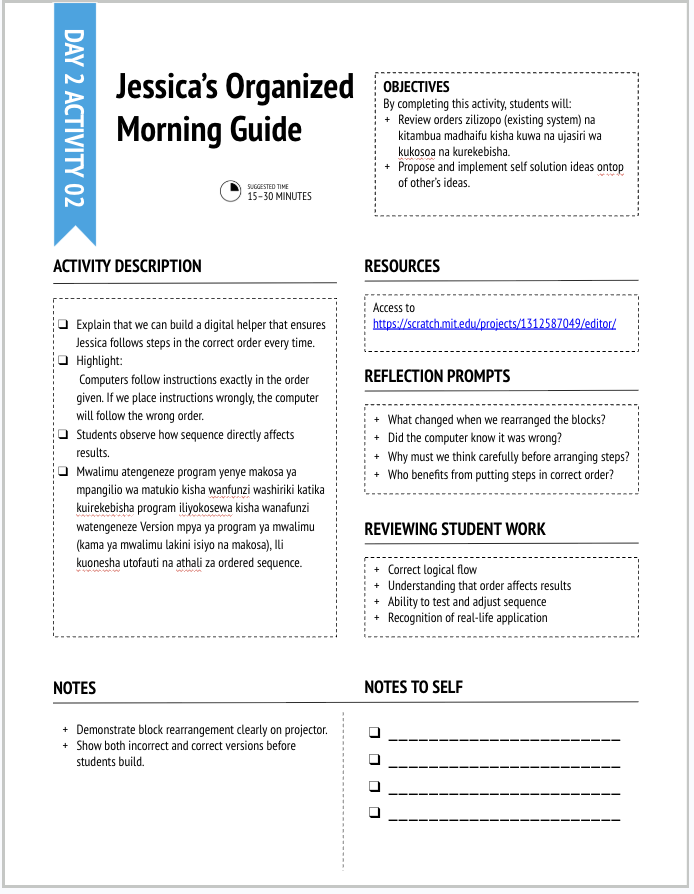
Activity 2.2 — Jessica’s Organized Morning Guide
Picture
Open | Download
Teacher demonstrates a wrongly ordered Scratch routine, and students identify the problem, fix the sequence, and build an improved version. *(15–30 min)*
Objectives:
  • See how computers obey instruction order exactly as given.
  • Compare incorrect and corrected block arrangements.
  • Build a stronger morning guide through sequence improvement.
Key Reflection Prompts:
  • What changed when the blocks were rearranged?
  • Why doesn’t the computer correct wrong order by itself?
  • How would you improve the guide further?
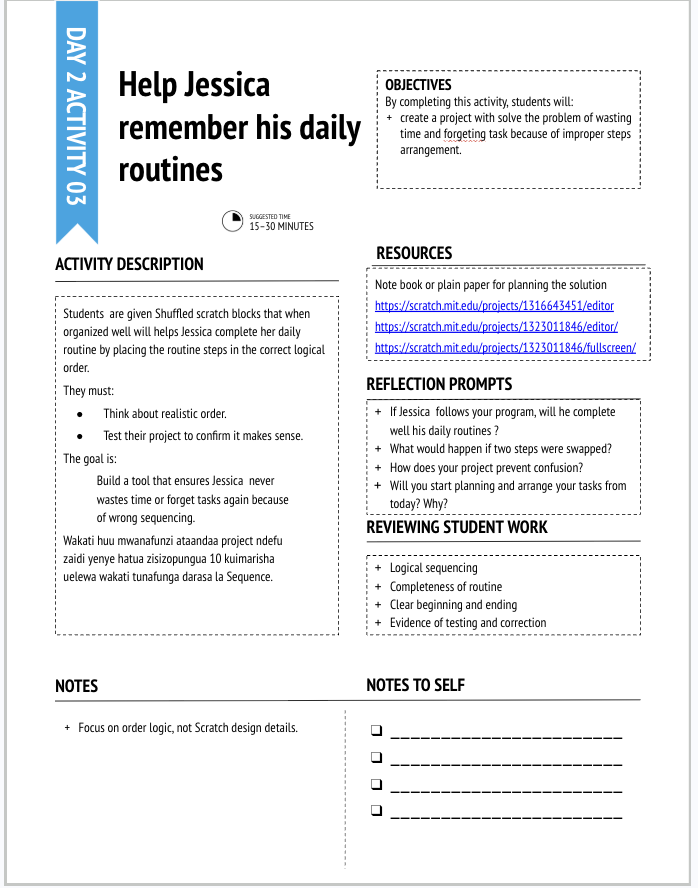
Activity 2.3 — Help Jessica remember his daily routines
Picture
Open | Download
Students organize shuffled Scratch blocks into a correct routine so Jessica can complete her daily tasks in logical order without wasting time. *(15–30 min)*
Objectives:
  • Strengthen logic around real routine ordering.
  • Build a longer sequence with many steps.
  • Test whether a sequence actually makes sense when run.
Key Reflection Prompts:
  • What would happen if two major steps were swapped?
  • How do you know your sequence is realistic?
  • Why is testing important when building routines?
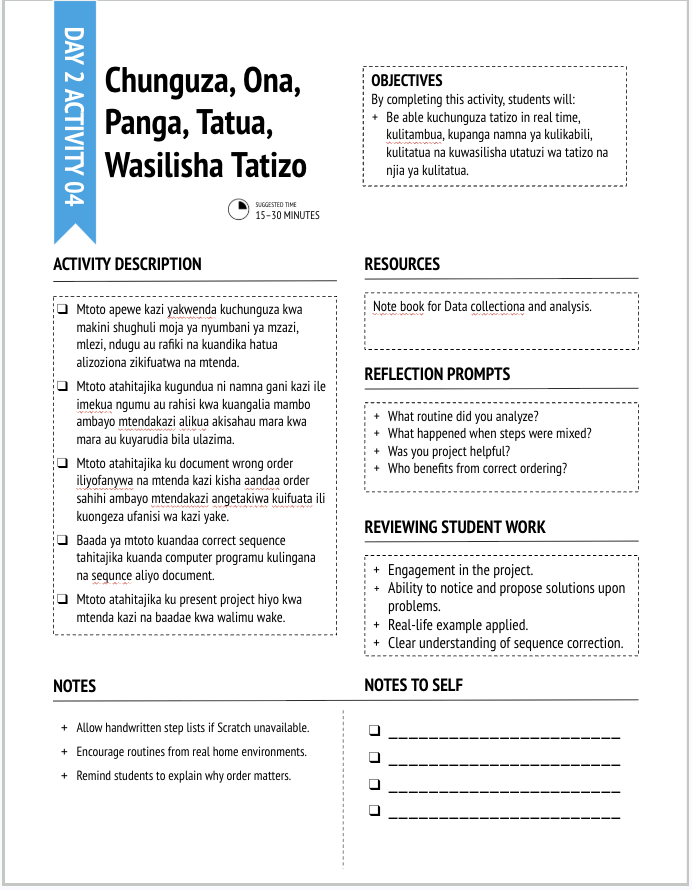
📝 Lesson 02 Homework
Picture
Open | Download
Students observe a real person at home, identify wrong-order mistakes in a routine, document the correct order, and turn that corrected sequence into a program.
Reflection Prompts:
  • What routine did you study at home?
  • What went wrong in the original order?
  • How did your corrected sequence improve the task?
Picture
Open | Download

Lesson 03 — Structure & Controlled Drawing

Theme: Good instructions need structure. Drawing and movement make the effect of structure visible.
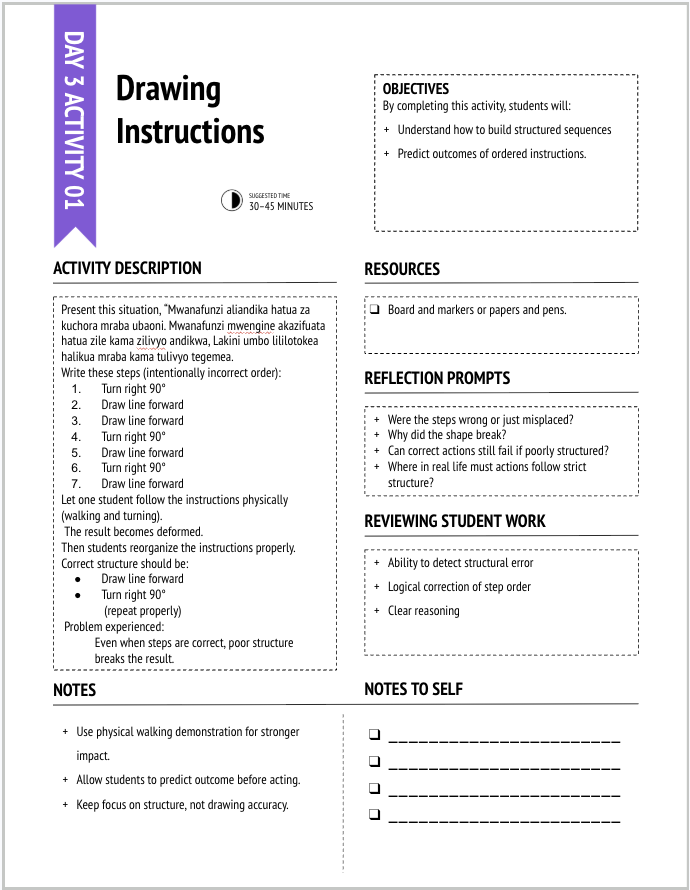
Activity 3.1 — Drawing Instructions
Picture
Open | Download
Physical or visual drawing demonstration showing that the same actions can fail when placed in the wrong structure. *(30–45 min)*
Objectives:
  • Understand how structured sequences are built.
  • Predict outcomes of ordered instructions.
  • See that the issue is sometimes arrangement, not action choice.
Key Reflection Prompts:
  • Were the instructions wrong or only misplaced?
  • Why did the drawing fail?
  • How does structure change the final result?
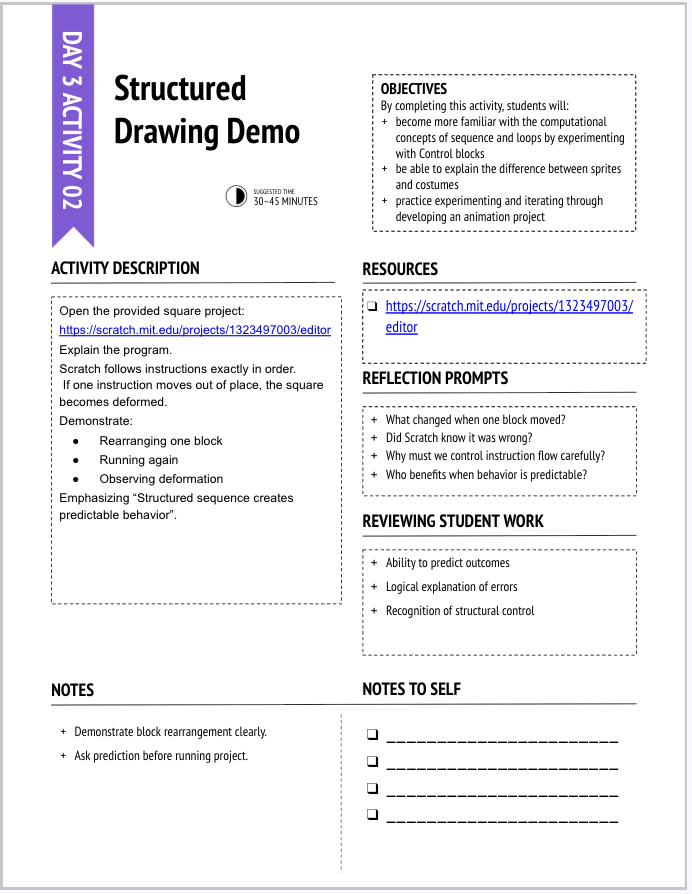
Activity 3.2 — Structured Drawing Demo
Picture
Open | Download | View Project
Students work with a Scratch drawing demo to understand sequence, loops, sprites, costumes, and iteration while building controlled shapes. *(30–45 min)*
Objectives:
  • Strengthen understanding of sequence and loops through drawing.
  • Explain the difference between sprites and costumes.
  • Practice experimentation and iteration while developing animation behavior.
Key Reflection Prompts:
  • What happened when one drawing block moved?
  • Which blocks had the biggest effect on the shape?
  • How did experimentation help you improve the drawing?
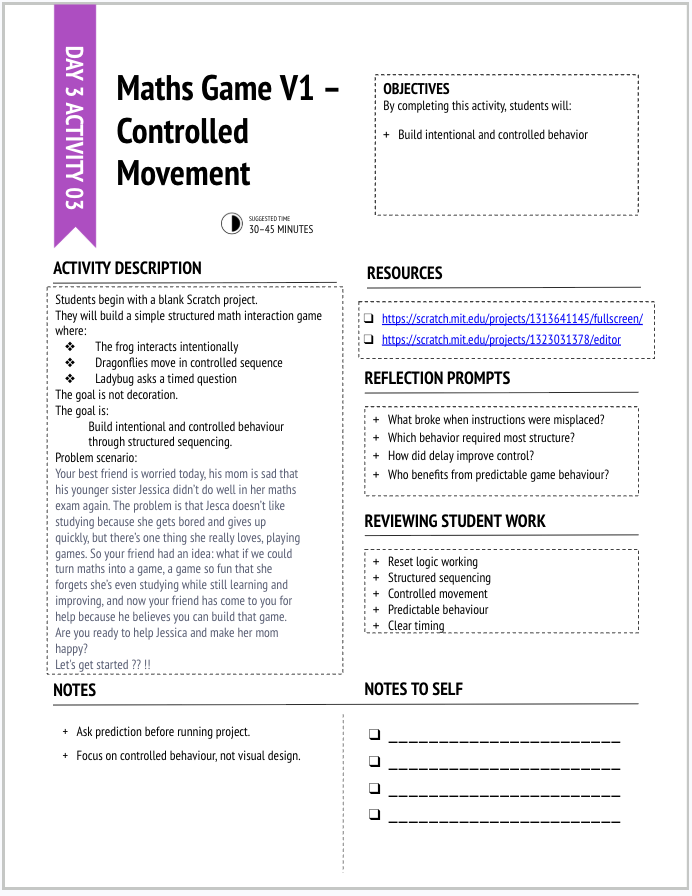
Activity 3.3 — Maths Game V1 – Controlled Movement
Picture
Open | Download
Students build a structured Scratch maths game where movement, timing, and interaction all depend on carefully arranged instructions. *(30–45 min)*
Objectives:
  • Build intentional and controlled behavior in a Scratch game.
  • Coordinate several elements using structure instead of randomness.
  • Recognize how sequencing affects game behavior and usability.
Key Reflection Prompts:
  • What broke when instructions were misplaced?
  • Which part of the game needed the most structure?
  • How did better arrangement improve control?
📝 Lesson 03 Homework
Picture
Open | Download
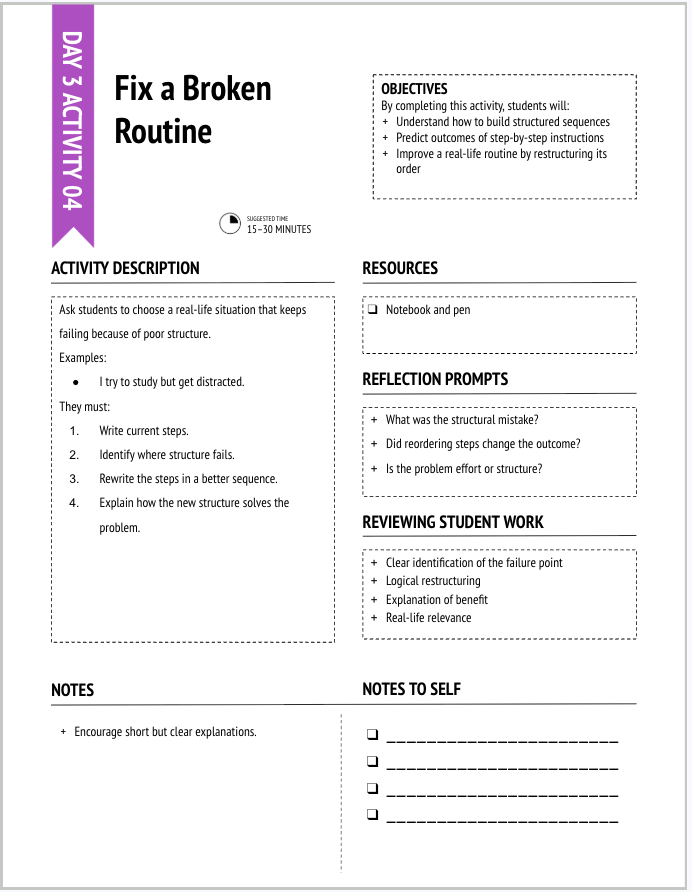
Students identify a real-life routine that fails because of poor structure, fix the arrangement, and explain how their new structure improves the result.
Reflection Prompts:
  • What was the structural mistake?
  • Did reordering steps change the outcome?
  • Was the problem effort, order, or both?
Picture
Open | Download

Lesson 04 — Loops & Repetition

Theme: Repetition makes learning systems more powerful, consistent, and efficient.
Activity 4.1 — Keep Asking, Keep Learning
Picture
Open | Download
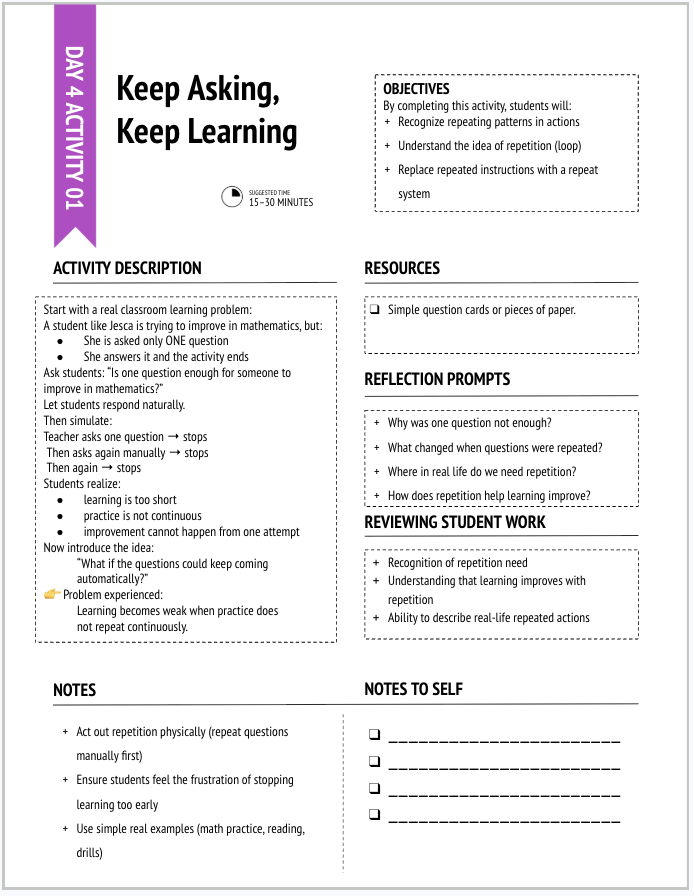
Students experience why one attempt is not enough in learning, then connect repeated questioning to the idea of loops. *(15–30 min)*
Objectives:
  • Recognize repeating patterns in actions.
  • Understand repetition as a useful problem-solving idea.
  • Replace repeated instructions with a repeat system.
Key Reflection Prompts:
  • Why was one question not enough?
  • What changed when the questioning repeated?
  • How does repetition improve learning?
Activity 4.2 — Pattern capture
Picture
Open | Download
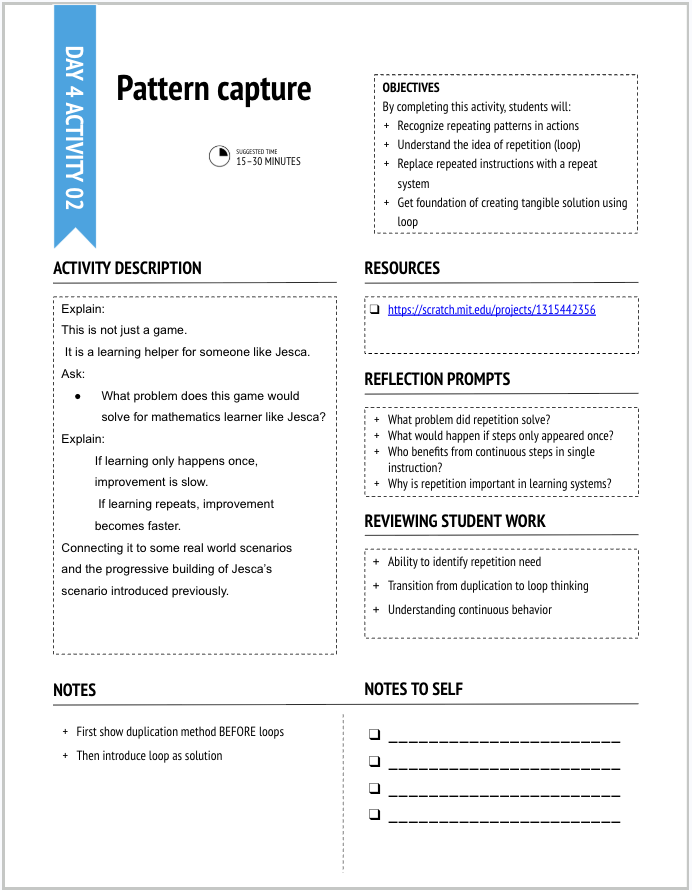
Students compare repeated Scratch blocks with loop-based solutions and discover how patterns can be simplified into reusable repetition structures. *(15–30 min)*
Objectives:
  • Recognize repeating patterns inside real actions and programs.
  • Understand why loops are better than stacking identical instructions.
  • Prepare to build more efficient Scratch systems.
Key Reflection Prompts:
  • What repeating pattern did you notice?
  • How is a loop different from writing the same instruction many times?
  • How does this save effort and time?
Activity 4.3 — Make the Learning Game Continuous
Picture
Open | Download
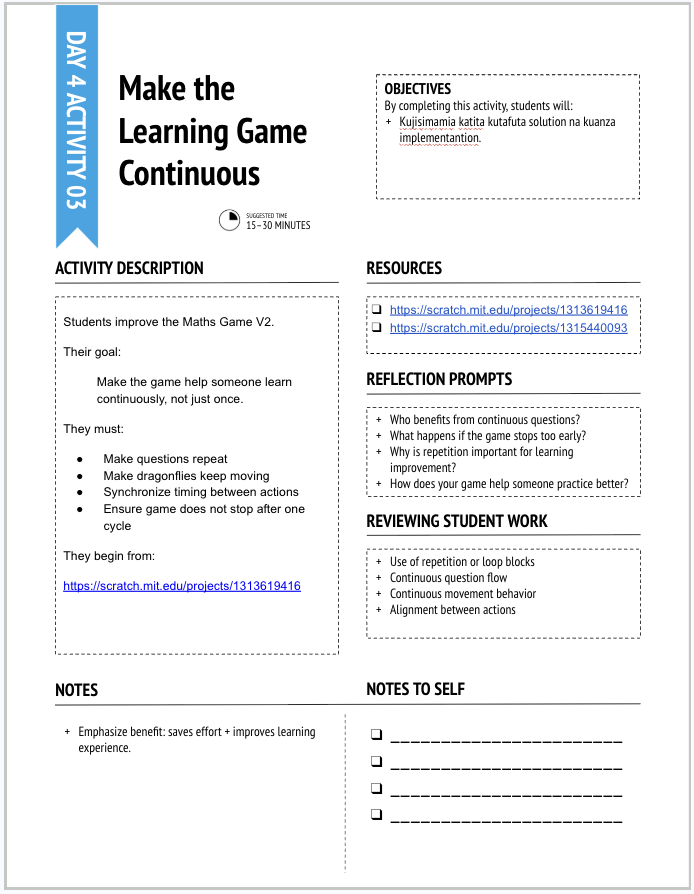
Students improve their learning game so questions and actions continue automatically, showing how loops support sustained practice. *(15–30 min)*
Objectives:
  • Use loops to make a game continue without manual restarting.
  • Help students begin self-directing solution improvement.
  • Connect repetition with better learning experiences.
Key Reflection Prompts:
  • How can the game keep going without stopping?
  • Why is repetition important in a learning game?
  • What improvement came from making the system continuous?
📝 Lesson 04 Homework
Picture
Open | Download
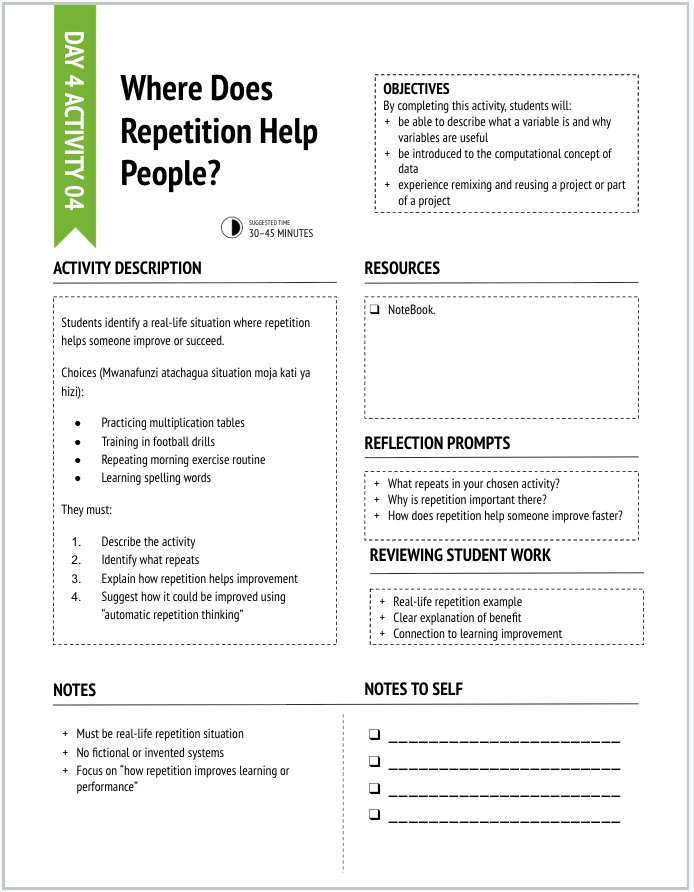
Students identify a real-life situation where repetition helps someone improve or succeed, then explain why the repetition matters.
Reflection Prompts:
  • Where does repetition help people improve?
  • What is repeating in your chosen activity?
  • Why would performance drop without repetition?
Picture
Open | Download

Lesson 05 — Loops Applied to Real Systems

Theme: Loops reduce repeated human effort and help students design reusable automated helpers.
Activity 5.1 — Why Do We Keep Doing This Again and Again?
Picture
Open | Download
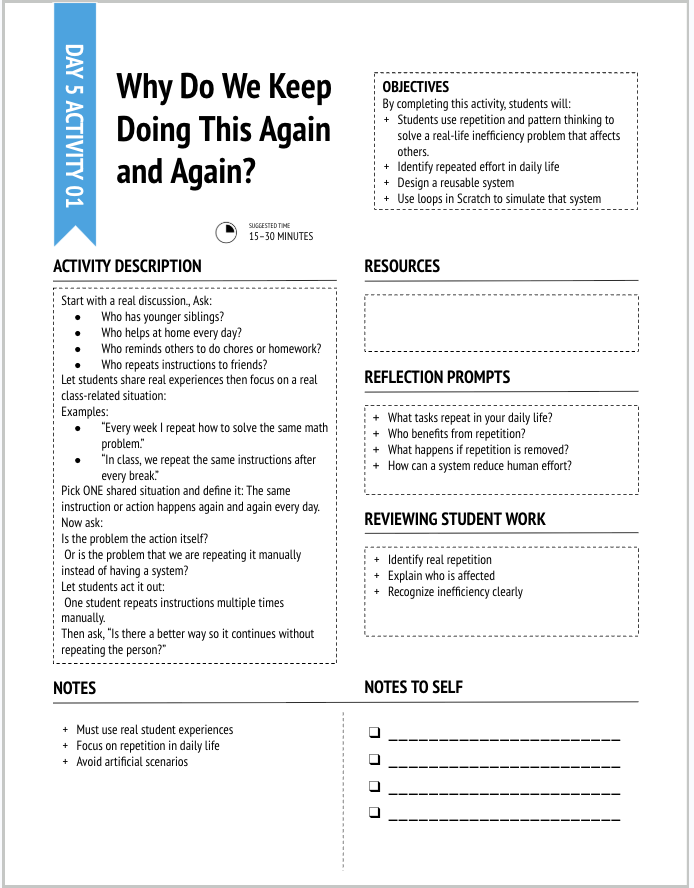
Students identify repetitive tasks in real life and begin thinking about how a reusable system could reduce manual effort. *(15–30 min)*
Objectives:
  • Identify repeated effort in daily life.
  • Design a reusable system idea.
  • Use Scratch to simulate the system.
Key Reflection Prompts:
  • What tasks repeat in your daily life?
  • Who benefits if the repetition is automated?
  • How can system thinking reduce human effort?
Activity 5.2 — Learning Helper That Never Gets Tired
Picture
Open | Download
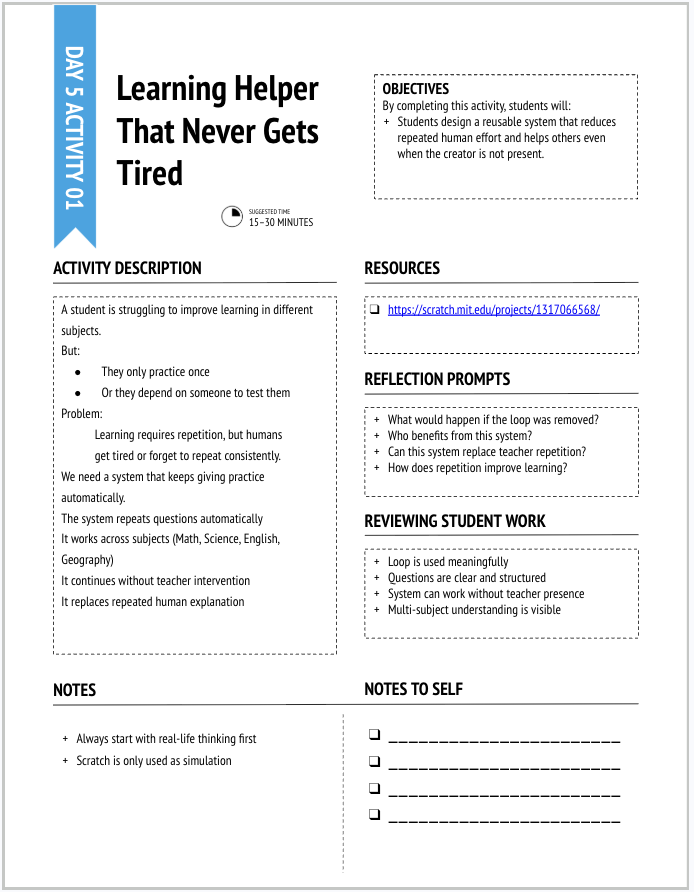
Students build a learning helper that asks questions repeatedly and keeps helping even when the creator is not present. *(15–30 min)*
Objectives:
  • Design a reusable learning support system.
  • Understand how loops help a system keep serving users.
  • Build something that works across different questions or subjects.
Key Reflection Prompts:
  • What is repeating in this system?
  • What would happen if the loop was removed?
  • How does repetition help learning continue?
Activity 5.3 — Automatic Classroom Routine System
Picture
Open | Download
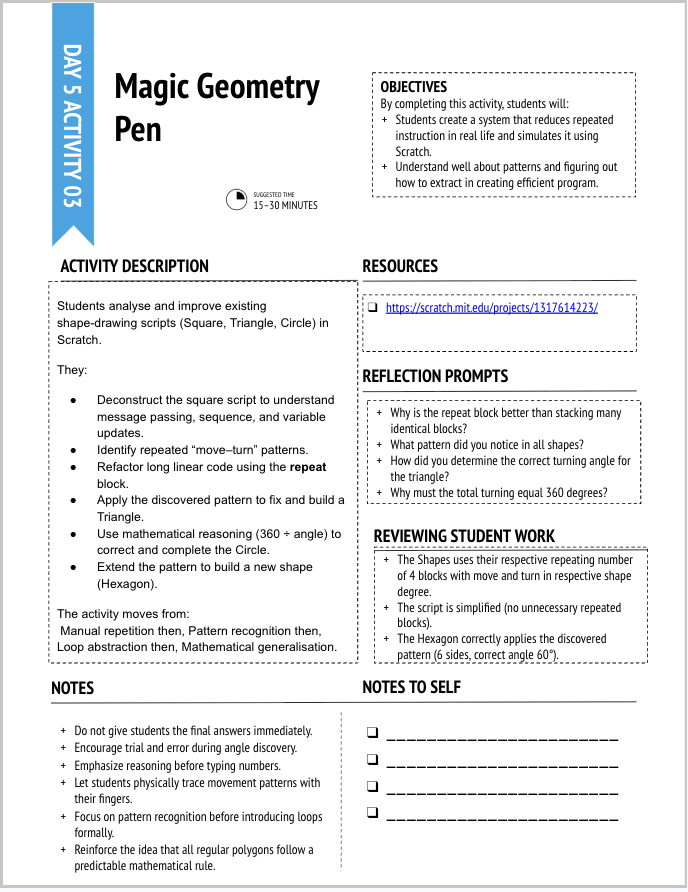
Students study patterns in repeated instructions and use them to create a more efficient Scratch-based routine or drawing system. *(15–30 min)*
Objectives:
  • Create a system that reduces repeated instruction in real life.
  • Identify patterns and extract them into efficient program structures.
  • Move from repeated effort to repeat-based design.
Key Reflection Prompts:
  • What repeated pattern did you detect?
  • Why is one repeat structure better than many duplicated instructions?
  • How did pattern recognition improve the program?
📝 Lesson 05 Homework
Picture
Open | Download
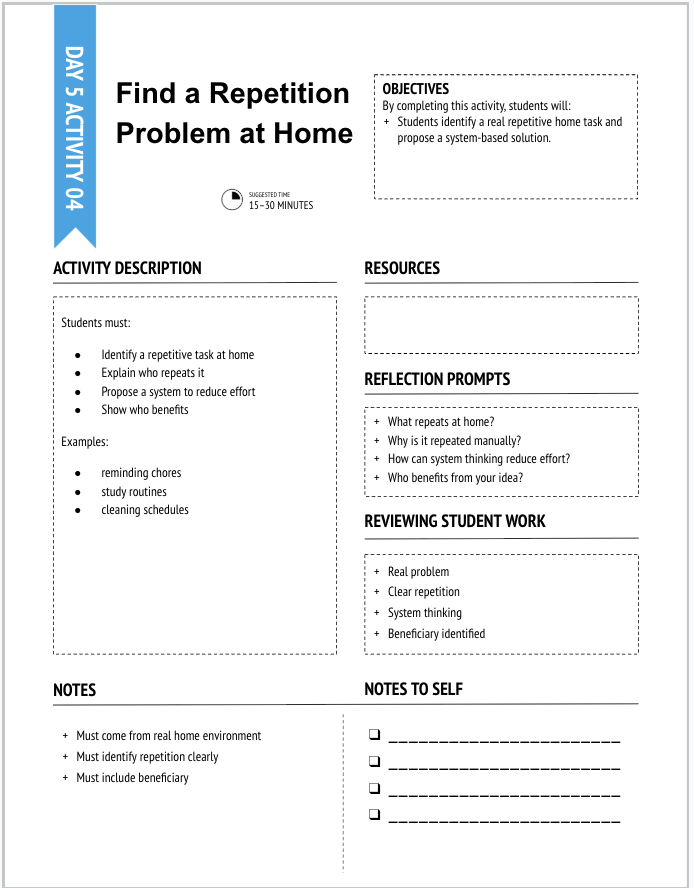
Students identify a repetitive home task, explain who keeps doing it manually, and propose a system-based solution that could reduce effort.
Reflection Prompts:
  • What repeats at home?
  • Why is it repeated manually?
  • Who benefits from the system you proposed?
Picture
Open | Download

Lesson 06 — Nested Loops

Theme: Some problems need layers of repetition, where one repeating system lives inside another.
Activity 6.1 — Helping Jessica Focus
Picture
Open | Download
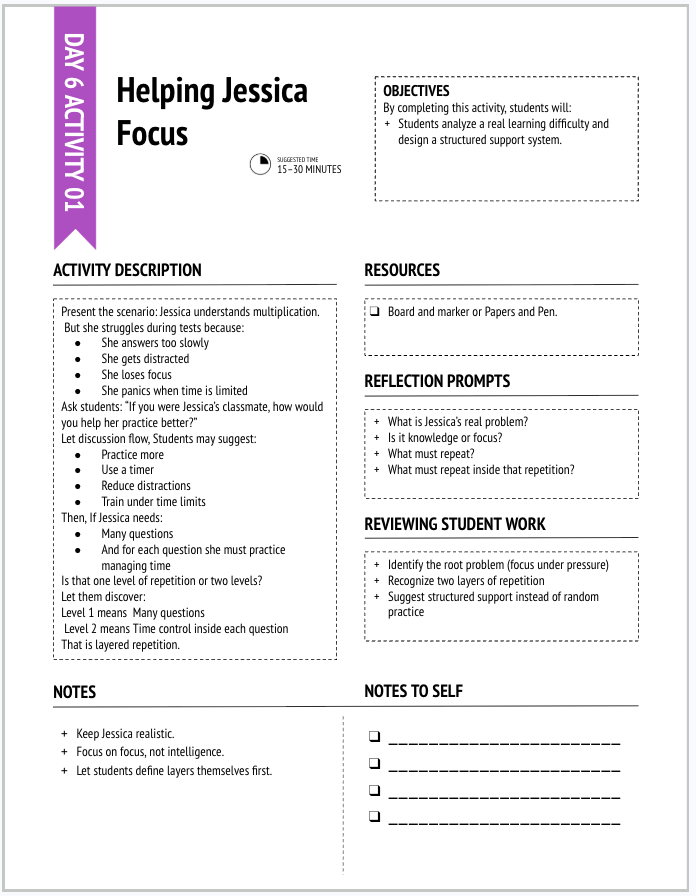
Students analyze Jessica’s test anxiety and discover that helping her requires repetition at two levels: many questions and time control inside each question. *(15–30 min)*
Objectives:
  • Analyze a real learning difficulty.
  • Discover the idea of layered repetition.
  • Design a structured support system for focus and timing.
Key Reflection Prompts:
  • What is Jessica’s real problem?
  • Is the issue knowledge, focus, or both?
  • What must repeat inside another repetition?
Activity 6.2 — Designing Jessica’s Focus Trainer
Picture
Open | Download
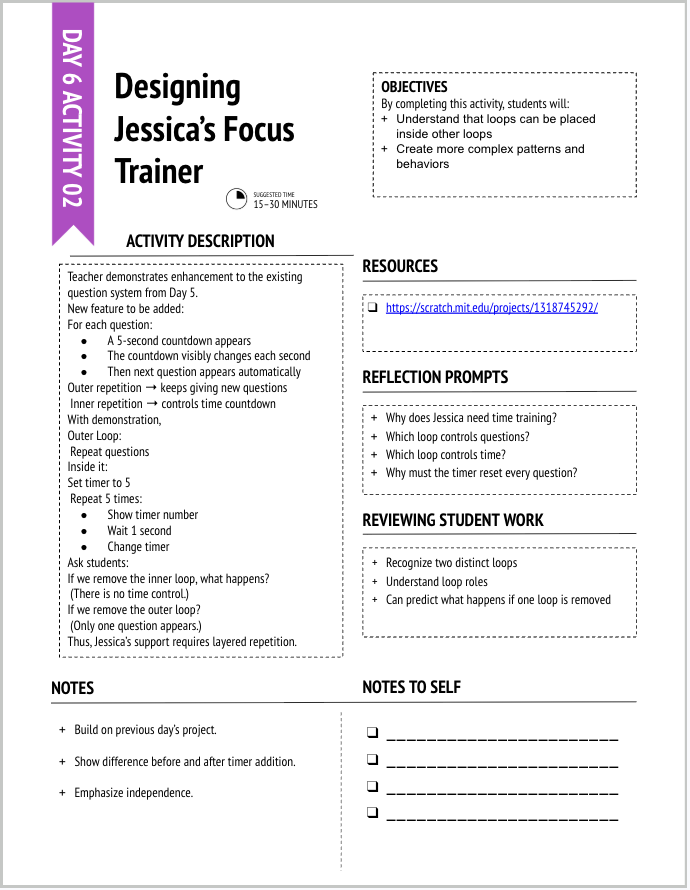
Students extend a question system by adding a countdown timer, using one loop for questions and another loop for time control inside each question. *(15–30 min)*
Objectives:
  • Understand that loops can exist inside other loops.
  • Build more complex behavior from layered repetition.
  • Connect timing systems to learning support tools.
Key Reflection Prompts:
  • Which loop controls the questions?
  • Which loop controls the timer?
  • Why must the timer reset every round?
Activity 6.3 — Identify and pronounce
Picture
Open | Download
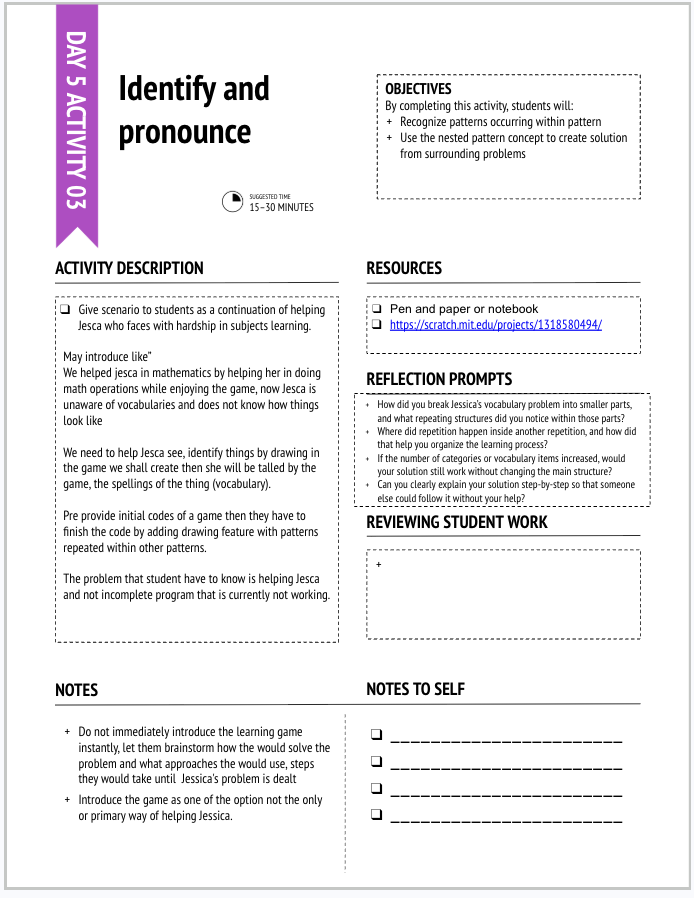
Students continue helping Jessica by building a game that supports vocabulary learning through repeated structures nested inside bigger learning patterns. *(15–30 min)*
Objectives:
  • Recognize patterns occurring within other patterns.
  • Use nested pattern thinking to solve surrounding problems.
  • Break a larger learning problem into smaller repeated parts.
Key Reflection Prompts:
  • How did you break the vocabulary problem into smaller parts?
  • Where did repetition happen inside another repetition?
  • Would your structure still work if the content grew larger?
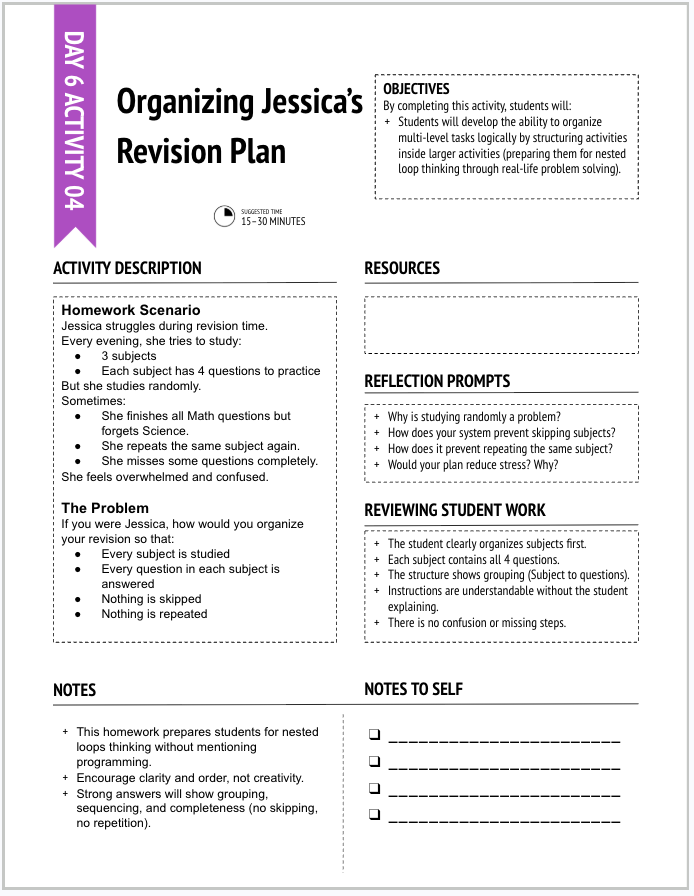
📝 Lesson 06 Homework — Organizing Jessica’s Revision Plan
Picture
Open | Download
Students organize Jessica’s revision across 3 subjects with 4 questions each, creating a clear multi-level system that avoids skipping and repetition.
Reflection Prompts:
  • Why is studying randomly a problem?
  • How does your plan prevent skipping subjects?
  • How does it prevent repeating the same subject again?
Picture
Open | Download

Lesson 07 — Conditionals & Response Evaluation

Theme: Programs must investigate and evaluate responses, not just receive them.
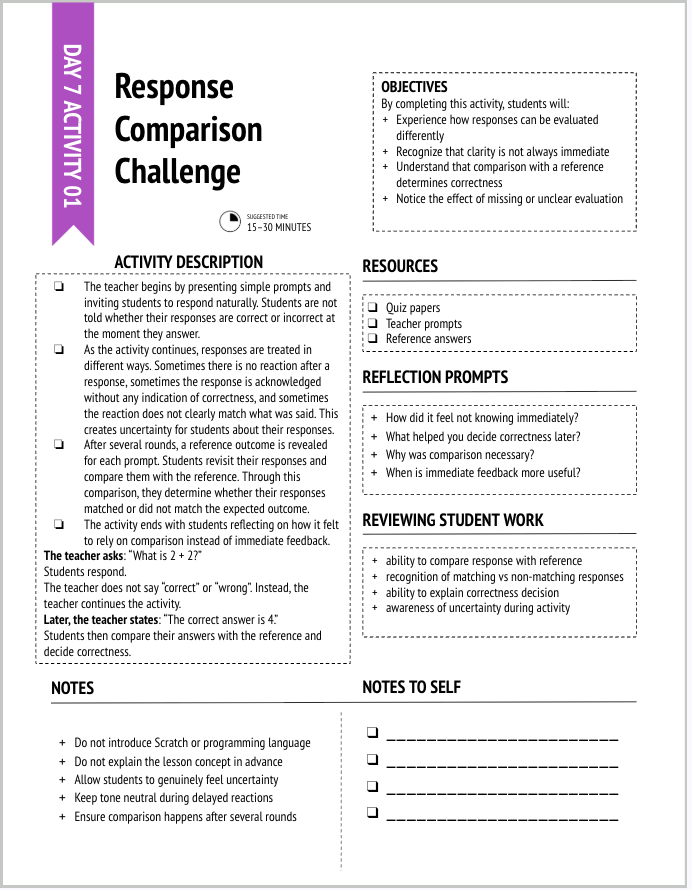
Activity 7.1 — Response Comparison Challenge
Picture
Open | Download
Students answer prompts without immediate correctness feedback, then later compare their responses with a revealed reference outcome. *(15–30 min)*
Objectives:
  • Experience delayed evaluation of responses.
  • Understand that correctness can depend on comparison with a reference.
  • Notice how unclear evaluation creates uncertainty.
Key Reflection Prompts:
  • How did it feel not knowing immediately?
  • What helped you decide correctness later?
  • Why was comparison necessary?
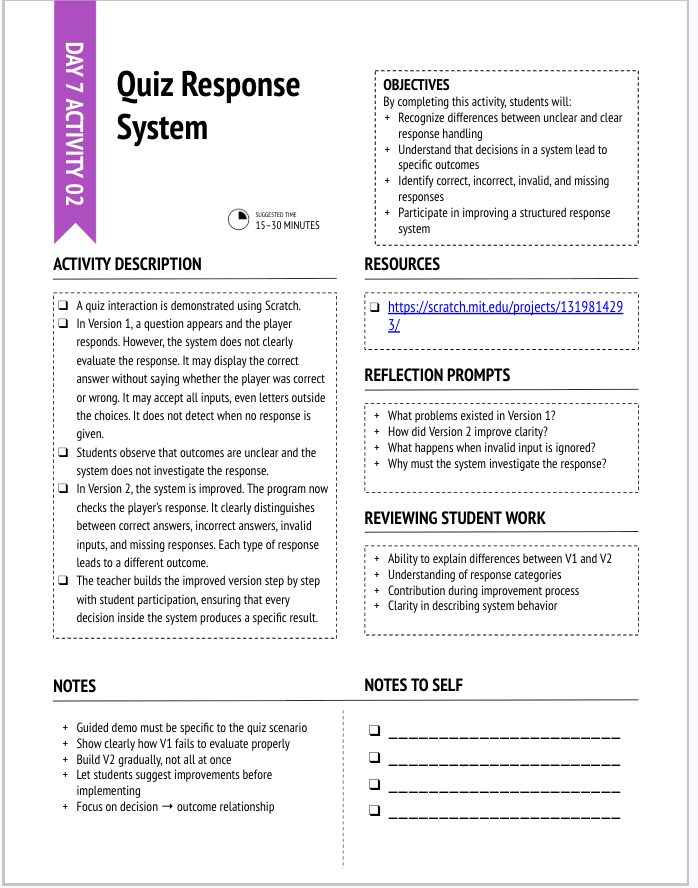
Activity 7.2 — Quiz Response System
Picture
Open | Download
Students compare a weak quiz system with an improved one that distinguishes correct, incorrect, invalid, and missing responses. *(15–30 min)*
Objectives:
  • Recognize differences between unclear and clear response handling.
  • See how decisions in a system create different outcomes.
  • Improve a structured response system with student participation.
Key Reflection Prompts:
  • What problems existed in Version 1?
  • How did Version 2 improve clarity?
  • Why must the system investigate the response?
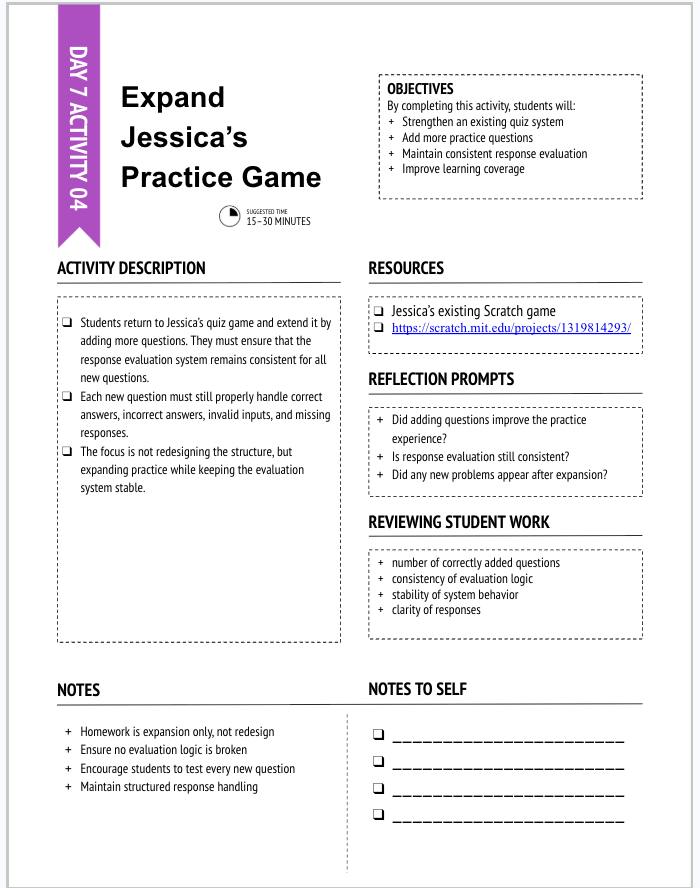
📝 Lesson 07 Homework — Expand Jessica’s Practice Game
Picture
Open | Download
Students add more questions to Jessica’s quiz game while keeping the evaluation logic consistent across all new questions.
Reflection Prompts:
  • Did adding questions improve the practice experience?
  • Is response evaluation still consistent?
  • Did any new problems appear after expansion?
Picture
Open | Download

Lesson 08 — Rule Combinations & Time-Based Logic

Theme: Some systems need multiple conditions to be true at the same time, especially when correctness and timing work together.
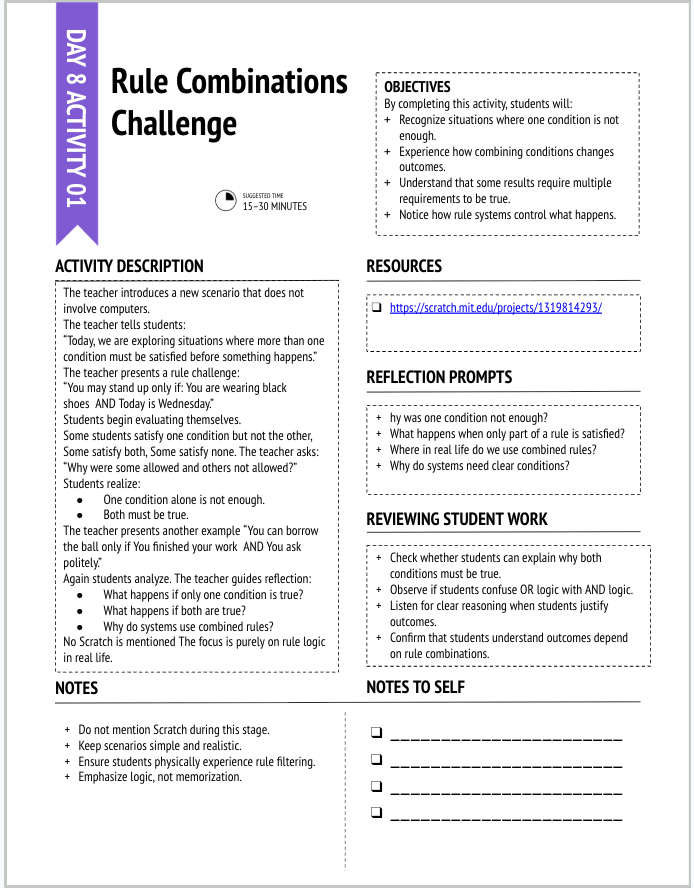
Activity 8.1 — Rule Combinations Challenge
Picture
Open | Download
Students experience real-life situations where one condition is not enough, helping them understand combined rules before touching Scratch. *(15–30 min)*
Objectives:
  • Recognize situations where one condition is not enough.
  • Experience how combining conditions changes outcomes.
  • Understand that some results require multiple requirements to be true.
  • Notice how rule systems control what happens.
Key Reflection Prompts:
  • Why was one condition not enough?
  • What happens when only part of a rule is satisfied?
  • Where in real life do we use combined rules?
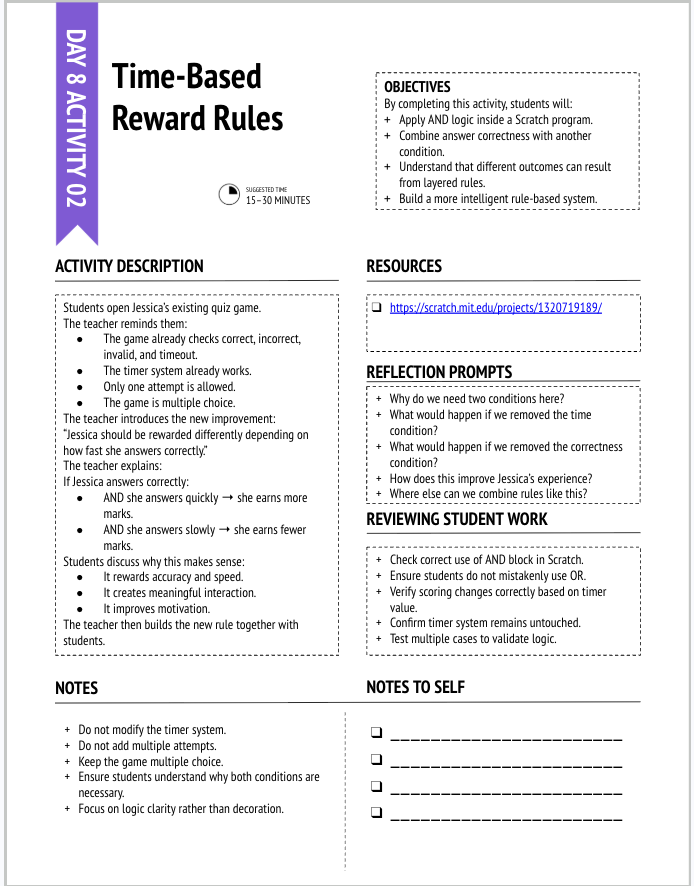
Activity 8.2 — Time-Based Reward Rules
Picture
Open | Download
Students improve a Scratch quiz so higher rewards depend on two conditions together: the answer must be correct and it must be given quickly. *(15–30 min)*
Objectives:
  • Apply AND logic in a Scratch program.
  • Combine correctness with a second condition.
  • Understand how layered rules create smarter outcomes.
  • Build a more intelligent reward system.
Key Reflection Prompts:
  • Why do we need two conditions here?
  • What happens if the time condition is removed?
  • What happens if the correctness condition is removed?
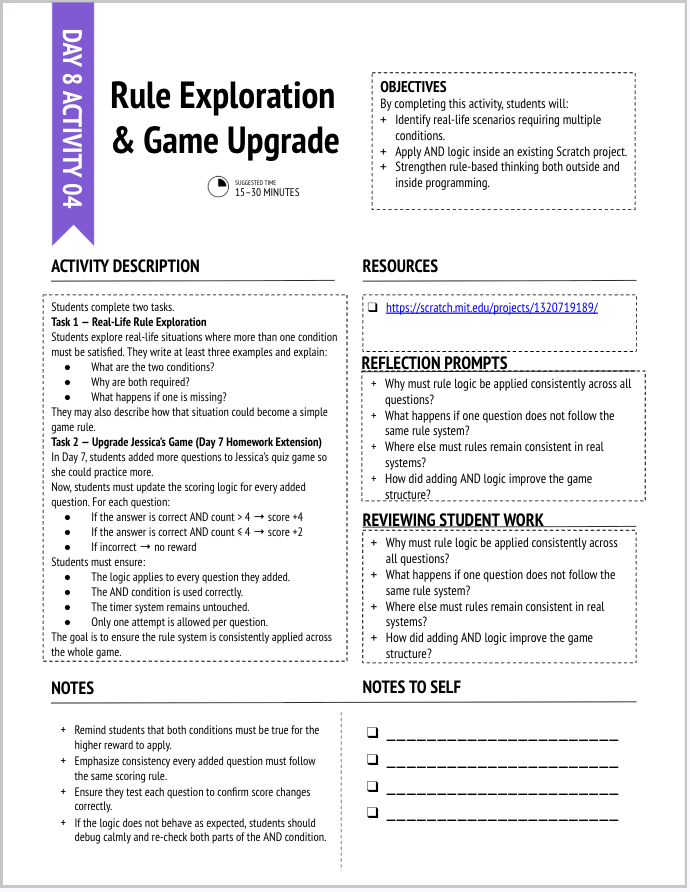
📝 Lesson 08 Homework — Rule Exploration & Game Upgrade
Picture
Open | Download
Students extend an existing game with AND-logic rules and identify real-life situations where multiple conditions must stay consistent across a whole system.
Reflection Prompts:
  • Why must rule logic stay consistent across all questions?
  • What happens if one part of the system ignores the shared rule?
  • How did adding AND logic improve the game?
Picture
Scratch

Program Overview

Program designed for primary and junior secondary learners
Concepts Progression
Picture
Scratch
Days 1-3: Sequencing, Order & Structure - Clear instructions and good arrangement produce correct results.
Days 4-5: Loops & Repetition - Repeating actions automatically saves effort and improves learning.
Day 6: Nested Loops - Repetition can happen inside repetition to support more complex behavior.
Day 7: Conditionals & Response Evaluation - Programs must compare responses and produce different outcomes.
Day 8: Combined Rules / AND Logic - Some systems need multiple conditions to be true at the same time.
Recurring Themes
Picture
Scratch
  • Jessica / Jesca — A recurring learner persona whose routines, learning, focus, and quiz experiences help ground abstract concepts in real-life situations.
  • Real-life first — Concepts are introduced through relatable human problems before they are translated into Scratch.
  • Build, test, reflect — Every day asks students to create, observe outcomes, and reflect on what worked.
  • Bilingual delivery — English and Swahili are both used throughout the curriculum materials.
Assessment Approach
Picture
Scratch
Each activity includes:
  • âś… Reviewing Student Work — teacher-facing checks and expectations
  • đź’¬ Reflection Prompts — student thinking and design-journal responses
  • đź“‹ Activity Notes — implementation guidance, simplification advice, or facilitation notes

Program Note

Program designed for primary/junior secondary learners. All Scratch projects available at scratch.mit.edu.
  • Overview
  • Curriculum
  • About